
See assetziq, screen by screen.
Ten screens from the product, each with a short note on what it shows and why it matters.
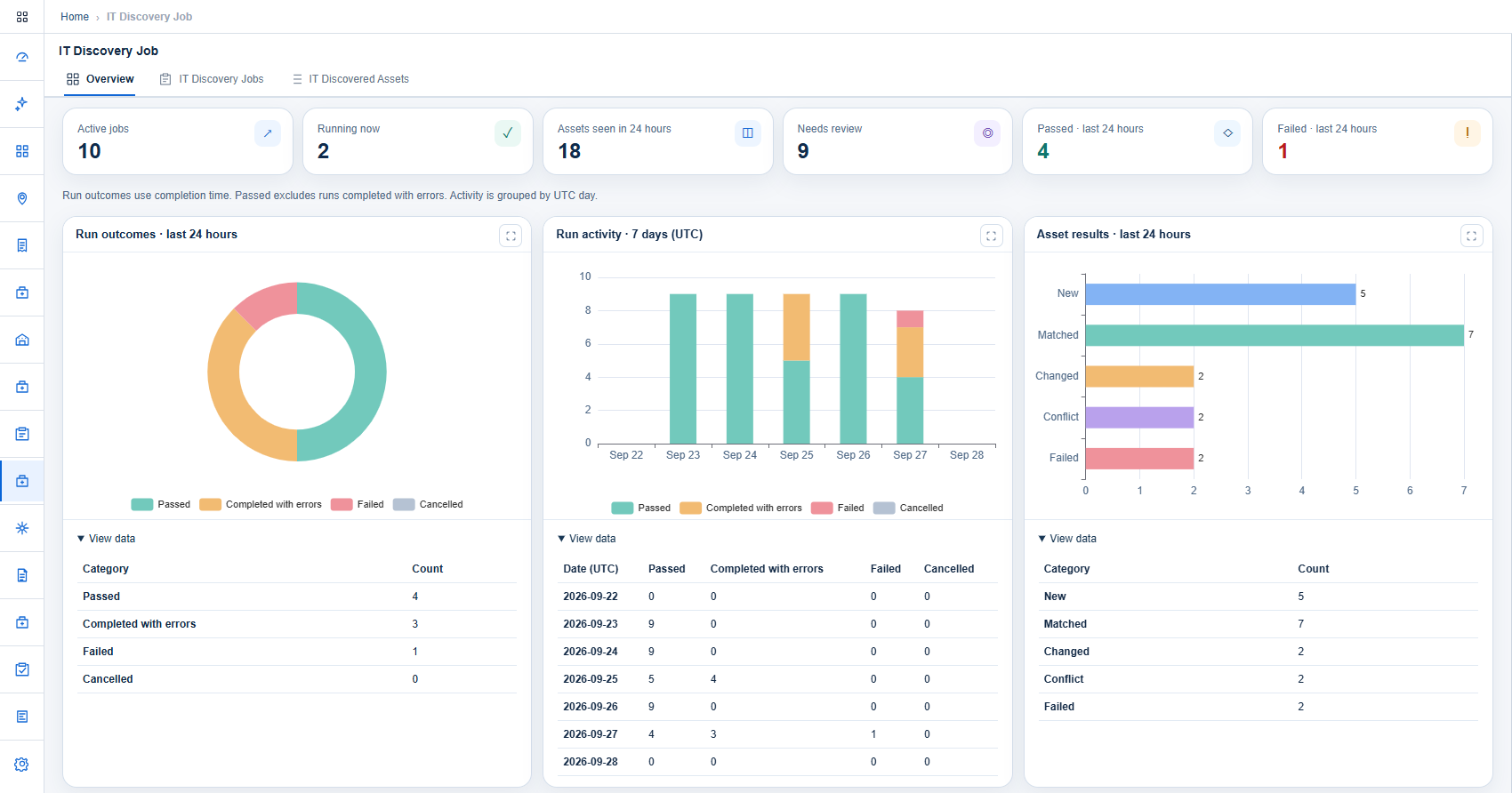
See every discovery run at a glance.
The overview shows active and running jobs, the assets seen in the last 24 hours and how many need review. Charts split runs into passed, completed with errors, failed and cancelled.
- Run outcomes for the last 24 hours
- Seven-day run activity
- Assets returned as new, matched, changed, conflict or failed
- The data behind every chart, one click away
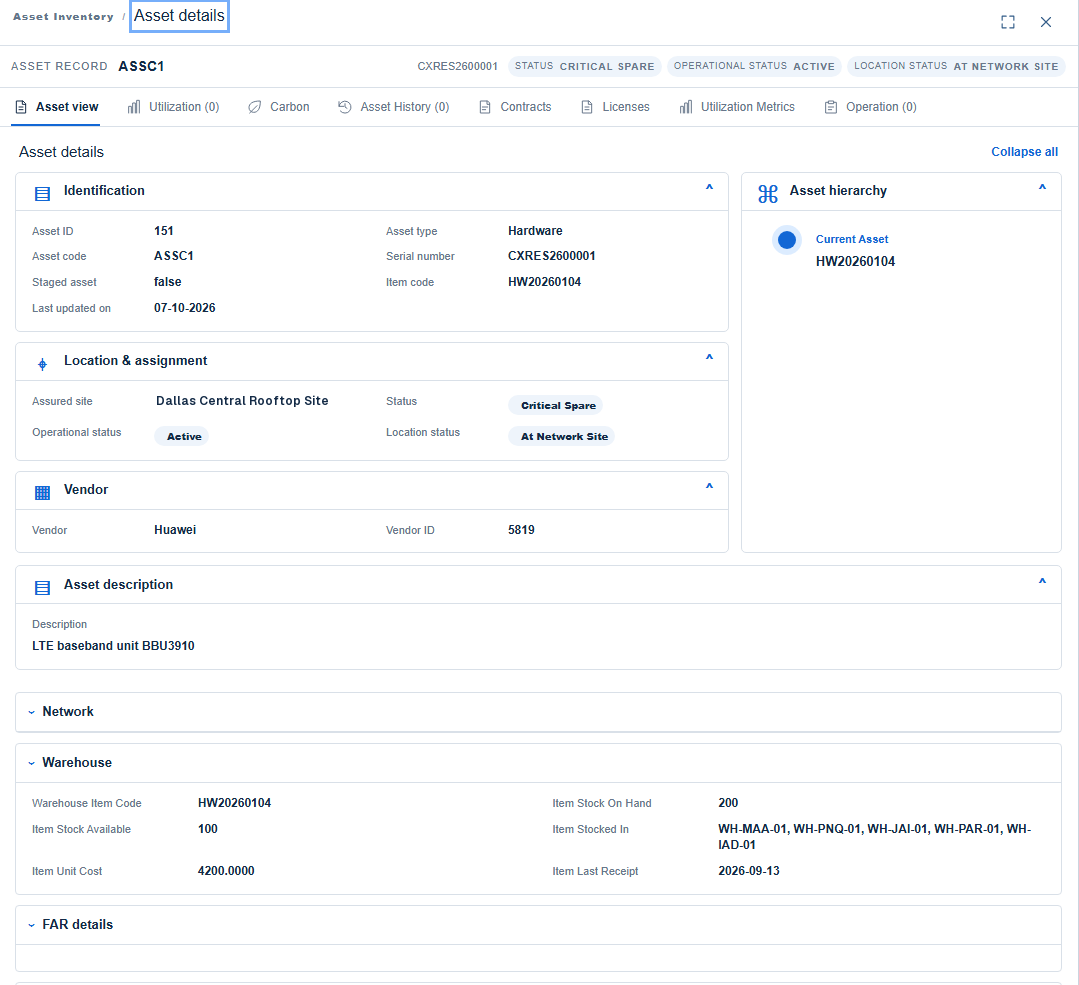
One inventory for every asset and site.
Open any asset to see its identity, where it is and who supplied it, with its warehouse stock, register entry and purchase order on the same screen.
- Identification, type, serial and item code
- Site, status and location status
- Hierarchy, history, contracts and licences
- Warehouse, register and purchase order details
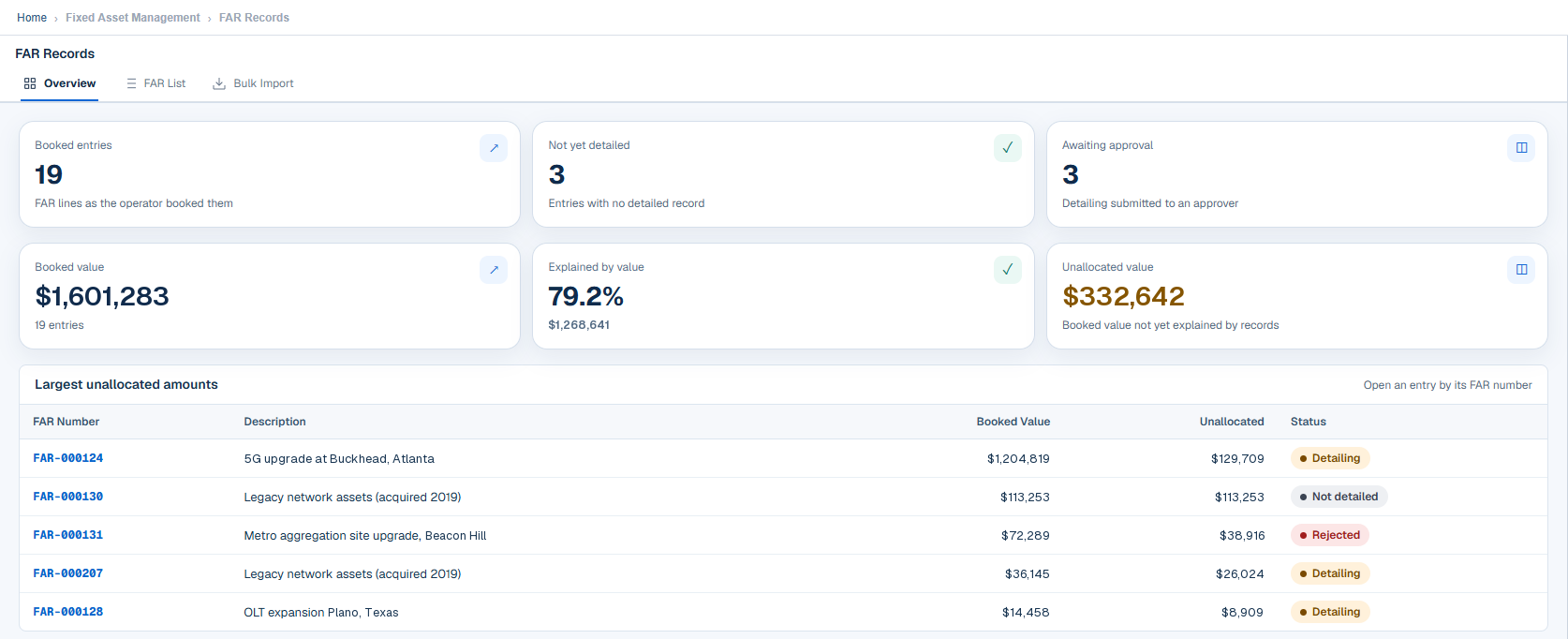
Know how much of the register is explained.
Booked value sits beside the share already explained by detailed records and the amount still unallocated. The largest unallocated entries are listed with their detailing status.
- Booked entries and those not yet detailed
- Detailing awaiting approval
- Explained-by-value percentage
- Largest unallocated amounts
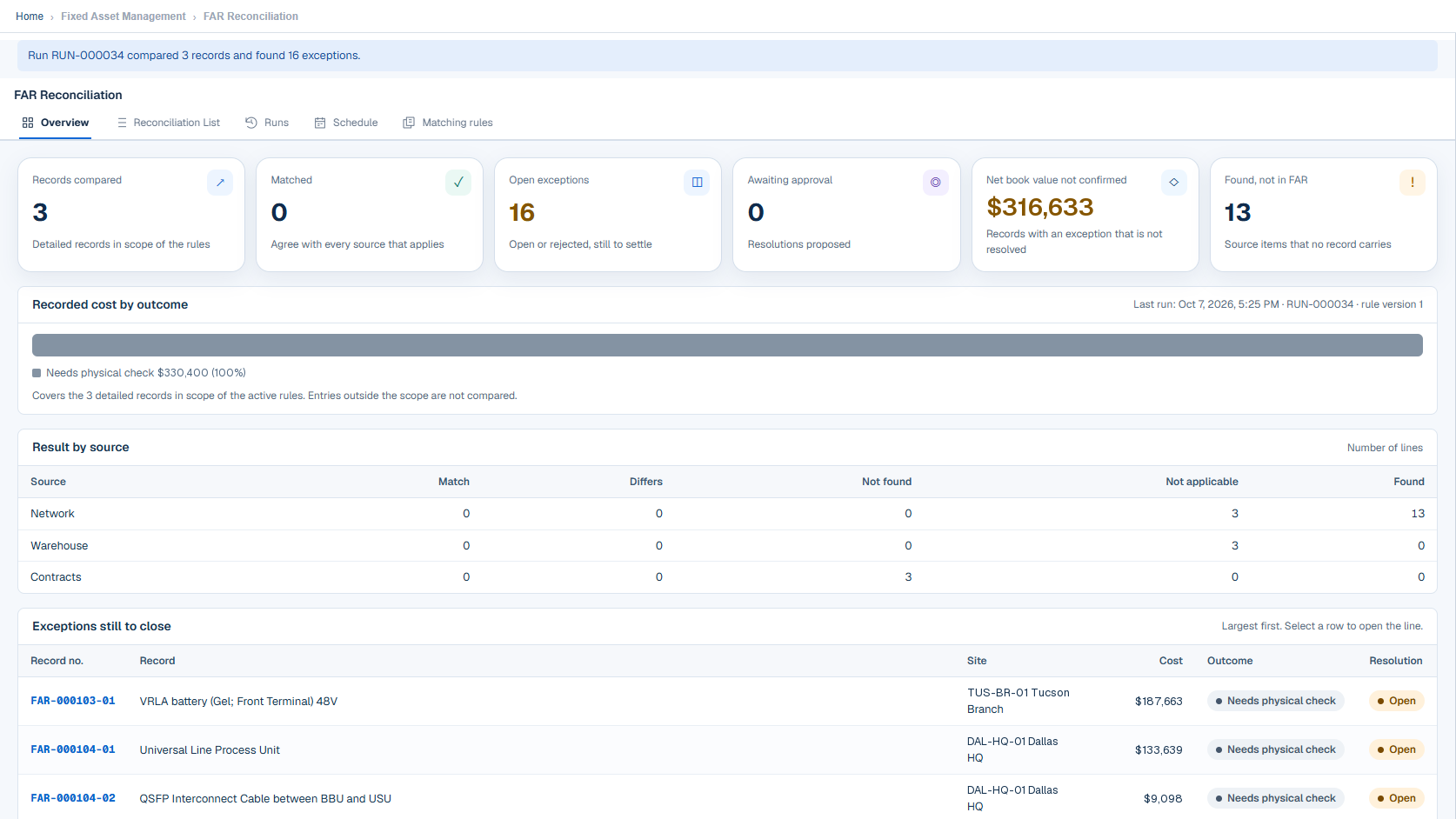
Reconciliation that shows what to close.
Each run reports the records compared, matched and still open, with results per source: network, warehouse and contracts. Exceptions are listed largest first, with outcome and resolution.
- Net book value not yet confirmed
- Items found that the register does not carry
- Result by source
- Exceptions still to close
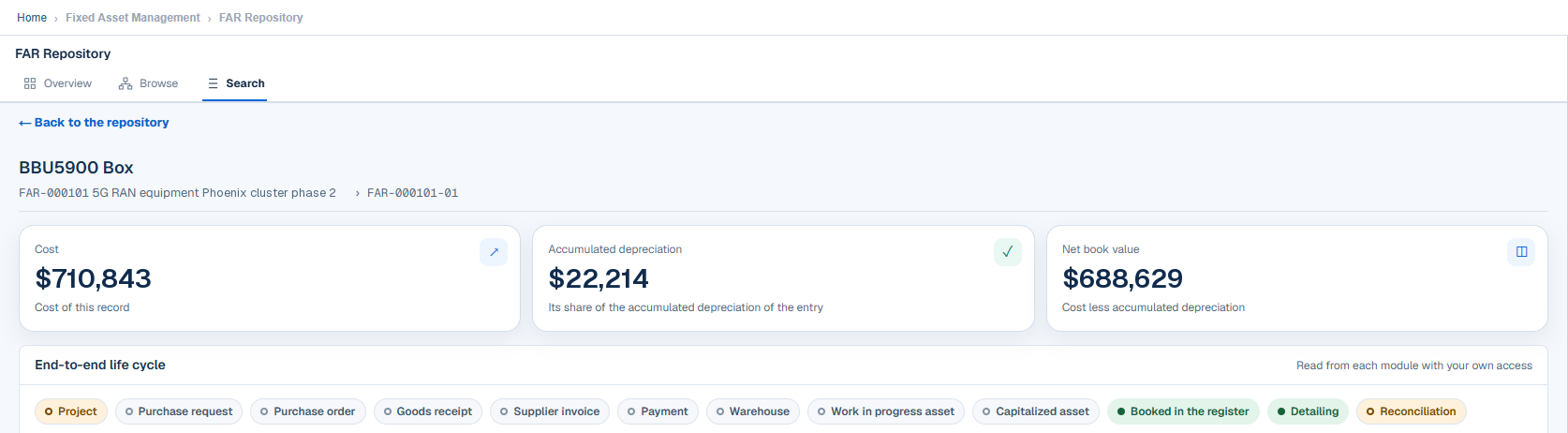
Trace one asset from project to register.
Open an asset in the repository to see its cost, accumulated depreciation and net book value, with a life-cycle strip that runs from project and purchase request through to reconciliation.
- Cost, accumulated depreciation and net book value
- Eleven life-cycle stages on one strip
- Each stage read from its own module
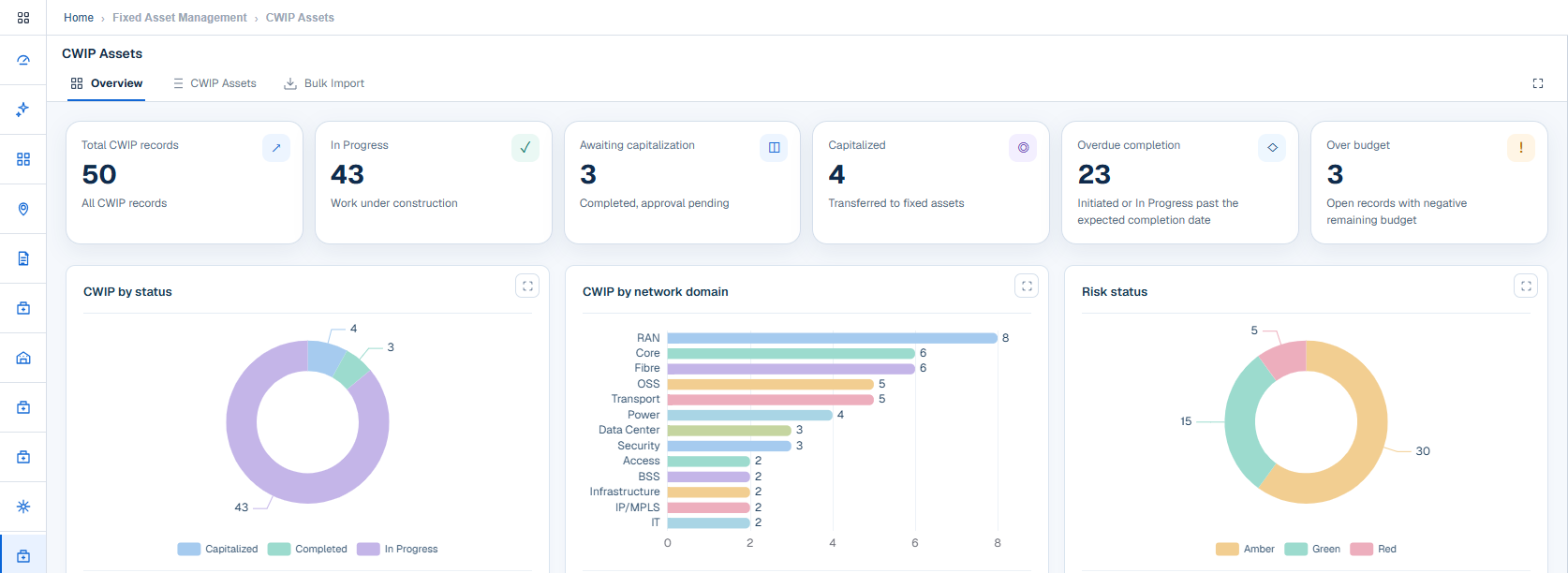
Capital work in progress under watch.
Work in progress, awaiting capitalization and capitalized counts sit beside overdue and over-budget work. Charts split the portfolio by status, domain and risk.
- Overdue completion
- Over-budget records
- Risk status: green, amber and red
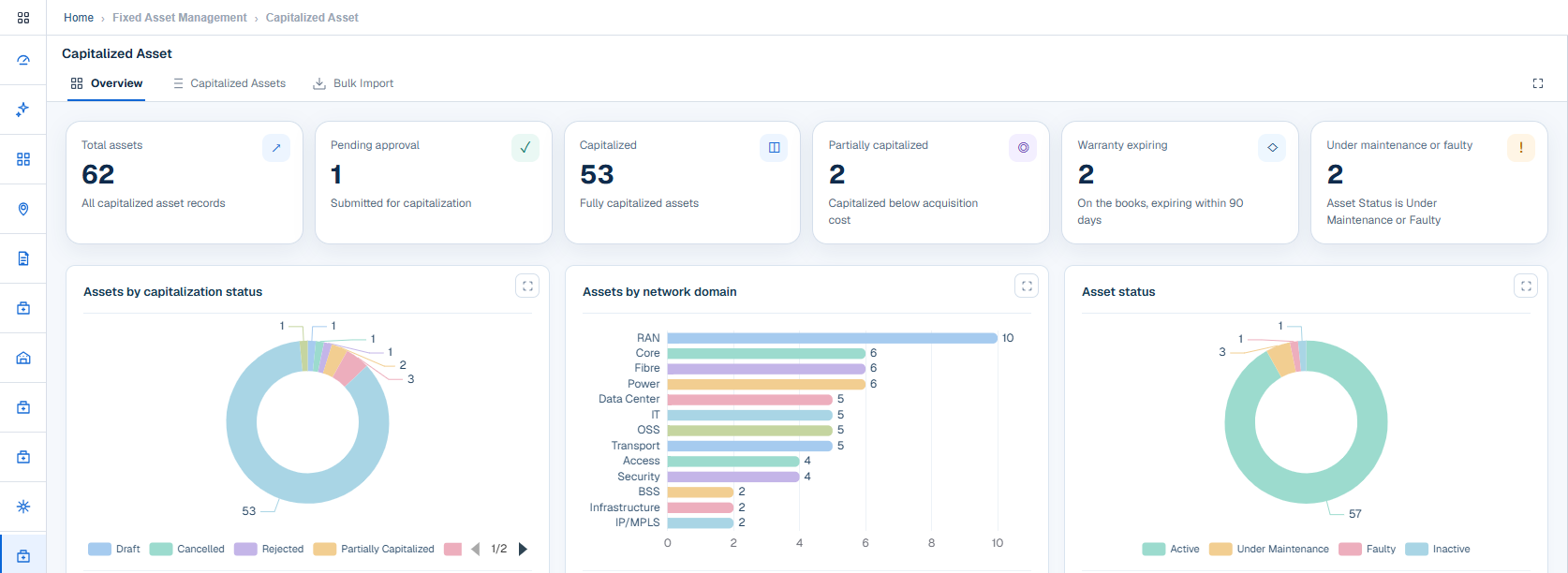
Capitalized assets at a glance.
See what is pending approval, what is fully or partially capitalized, which warranties expire within 90 days and which assets are faulty or under maintenance.
- Capitalization status breakdown
- Warranty expiring
- Asset status: active, under maintenance, faulty, inactive
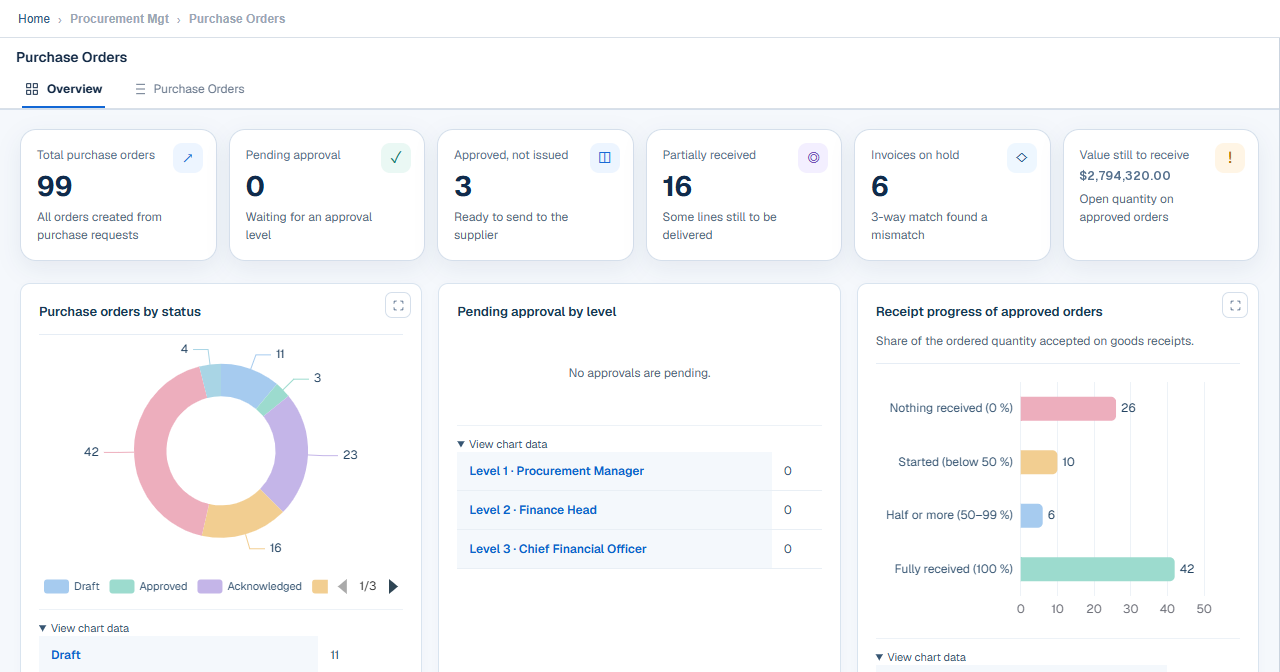
Purchase orders from approval to receipt.
The overview counts orders pending approval, approved but not yet issued and partially received, along with invoices held by three-way matching. Approval levels and receipt progress are charted.
- Pending approval by level
- Receipt progress of approved orders
- Value still to receive
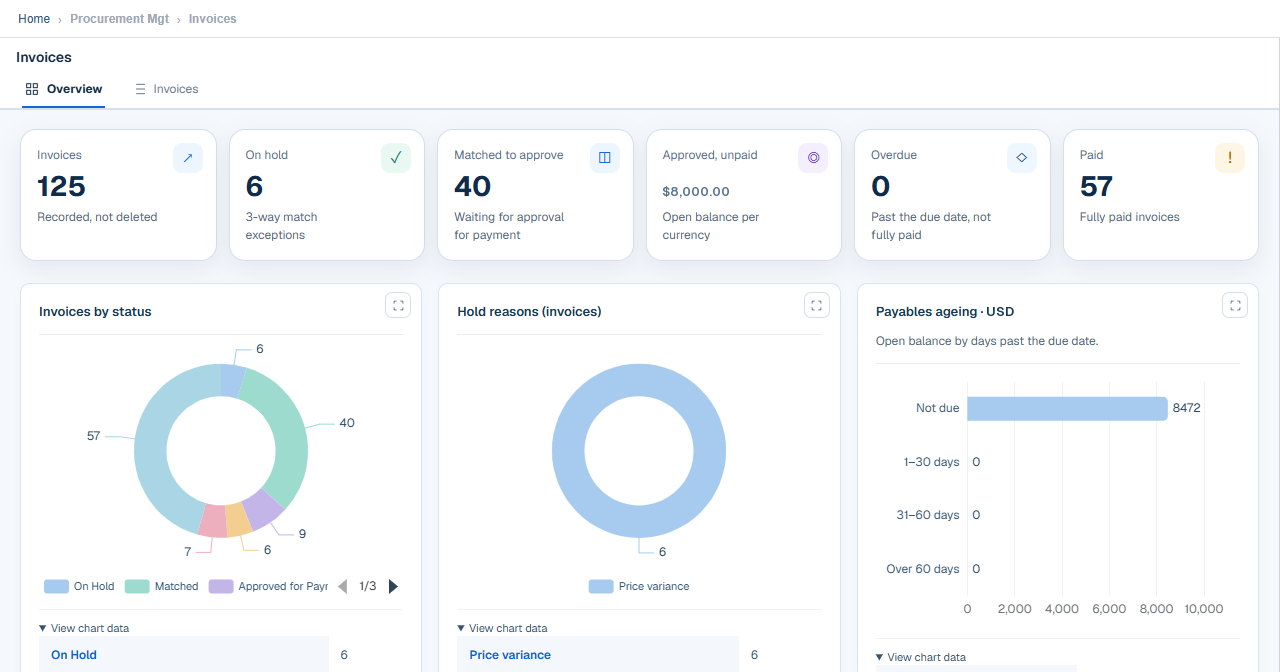
Invoices held until they match.
Invoices are shown as on hold, matched and waiting for approval, approved but unpaid, overdue or paid. Hold reasons and payables ageing explain where attention is needed.
- Three-way match exceptions
- Hold reasons, such as price variance
- Payables ageing
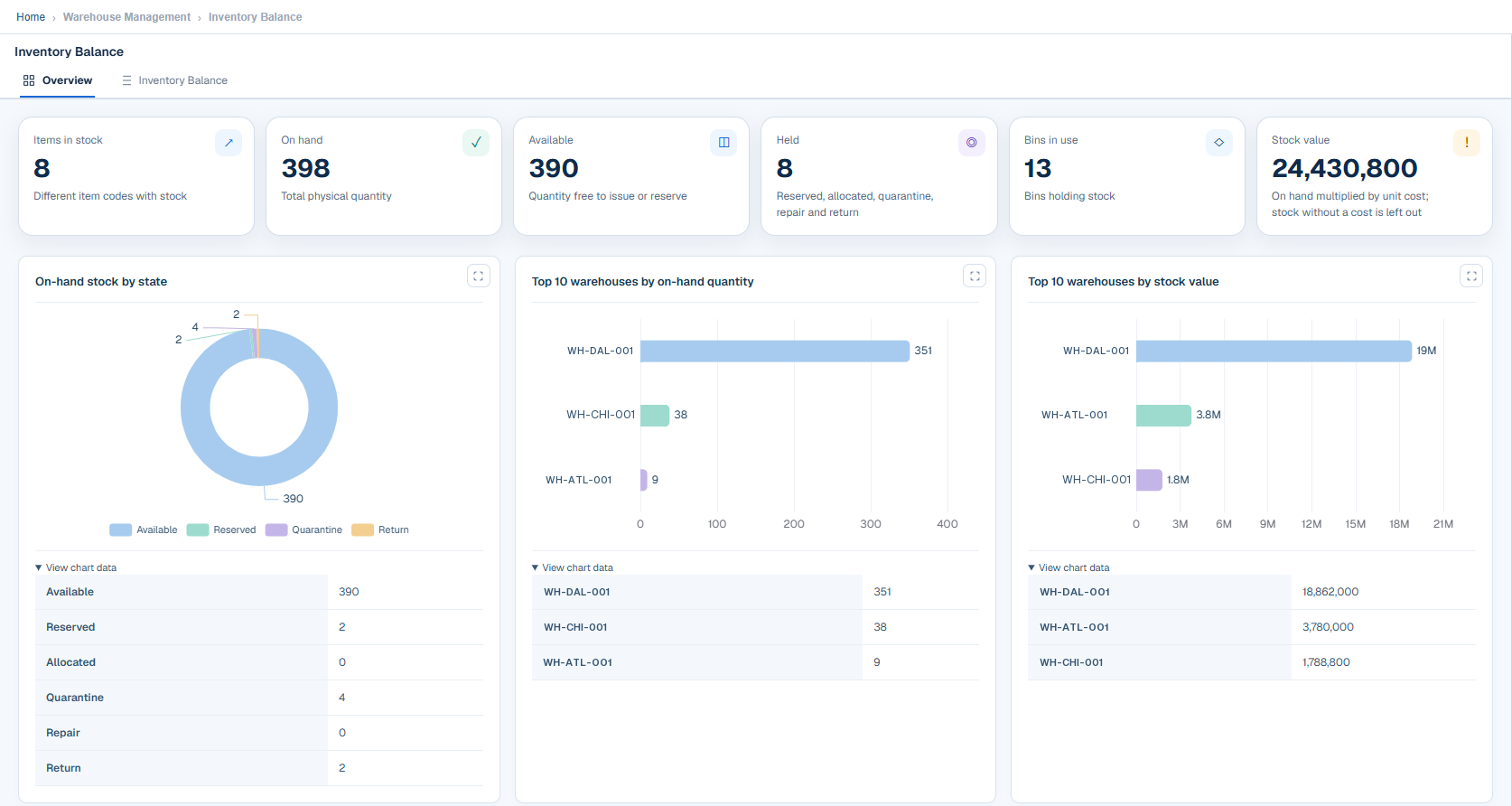
Stock position by state and warehouse.
Items in stock, on-hand, available and held quantities, bins in use and stock value, with on-hand stock by state and the top warehouses by quantity and by value.
- Available, reserved, quarantine and return quantities
- Top warehouses by on-hand quantity
- Top warehouses by stock value
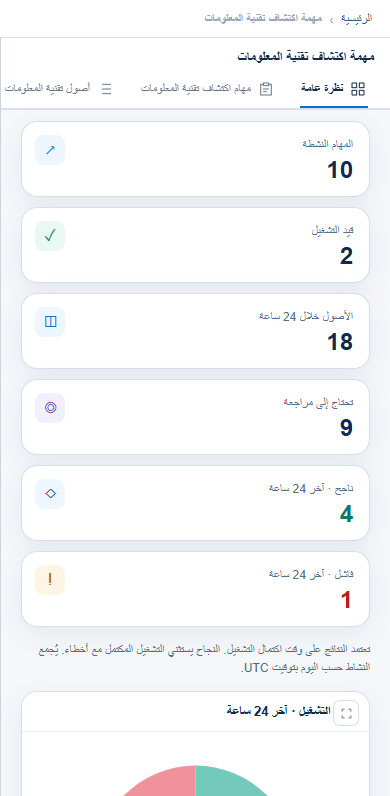
The same product on your phone, in your language.
The portal adapts to phone-sized screens and each user can work in their own language.
- Responsive layout in the phone browser
- Multi-language support
- The same data and approvals as on the desktop
See it live with your own questions.
A demo follows the same screens, on a workflow that matters to your organization.